How to Open EPUB Files Without a Kindle - Free Readers for Every Device
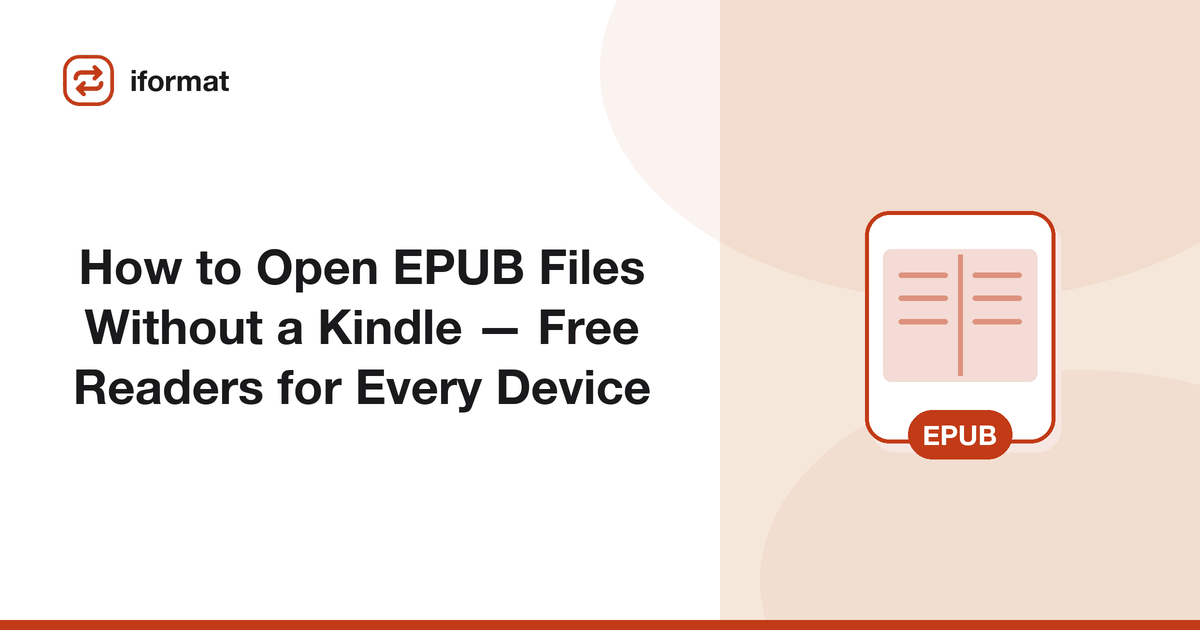
You downloaded a free ebook, a library loan, or a textbook, and the file ends in .epub. You double-click it and Windows opens it in Edge, or nothing opens at all. EPUB is the most widely used ebook format in the world, but it is not always obvious how to read one, especially if you are coming from the Kindle ecosystem. Here is how to open EPUB files on every platform, with the best free reader for each.
What Is an EPUB File?
EPUB (Electronic Publication) is an open ebook standard. Unlike PDF, EPUB uses reflowable text: the content adapts to your screen size, font preferences, and text size. This makes EPUBs comfortable to read on any device, from a phone to a desktop monitor. Inside, an EPUB file is a ZIP archive containing HTML, CSS, and images, essentially a small website packaged as a book.
EPUB is the native format for Apple Books, Google Play Books, Kobo, Nook, and most library lending systems (OverDrive, Libby). Most free ebook repositories (Project Gutenberg, Open Library, Standard Ebooks) distribute in EPUB. It is the closest thing to a universal ebook format.
Open EPUB on Windows
Calibre (best overall): Calibre is a free, open-source ebook manager that reads every ebook format: EPUB, MOBI, AZW3, PDF, FB2, and more. It includes a built-in reader with customizable fonts, themes, and bookmarks. Beyond reading, Calibre organizes your ebook library, converts between formats, and can send books to your Kindle. Download from calibre-ebook.com.
Sumatra PDF: Despite the name, Sumatra also reads EPUB, MOBI, CBZ, and other formats. It is lightweight (under 10 MB), fast, and requires no installation: you can run it from a USB drive. The reading interface is minimal but functional. Good for people who want something simple.
Microsoft Edge: Edge can open EPUB files directly (drag and drop the file onto an Edge window). The reading experience is decent: it supports font size changes, themes, and bookmarks. However, Edge's EPUB support has been inconsistent across versions. If Edge does not open your EPUB, use Calibre.
Open EPUB on Mac
Apple Books (best): Apple Books is preinstalled on every Mac. Double-click an EPUB file and it opens in Apple Books automatically. The reading experience is excellent: smooth scrolling or paginated mode, adjustable fonts, and iCloud syncing across your iPhone, iPad, and Mac. If you read on Apple devices, this is the best option.
Calibre: Also available for Mac. Use it if you need to manage a large ebook library, convert between formats, or send books to non-Apple devices.
Open EPUB on iPhone and iPad
Apple Books (built in): Tap an EPUB file from Mail, Files, Safari, or any app, and iOS offers to open it in Apple Books. The reading experience is polished: adjustable fonts, themes (white, sepia, dark), true full-screen mode, and your reading position syncs across all your Apple devices via iCloud.
Google Play Books: Install from the App Store, then upload your EPUB files to your Google Play Books library (books.google.com → upload). The EPUB is stored in your Google account and accessible on any device signed into Google Play Books. Good if you use Android and iOS interchangeably.
Open EPUB on Android
Google Play Books (best): Preinstalled on most Android devices. Open the Play Books app, tap the library icon, then "Files on device" to find EPUB files on your phone. Or upload EPUBs through the web interface at books.google.com. The reading experience is clean, with adjustable fonts, night mode, and cross-device syncing.
Moon+ Reader: A popular third-party reader with deep customization: custom fonts, color themes, gesture controls, text-to-speech, and dictionary integration. The free version has ads; the Pro version ($5) removes them.
ReadEra: A free, ad-free EPUB reader for Android. Supports EPUB, PDF, MOBI, FB2, and DOCX. Simple interface, no account required.
Open EPUB on Linux
Calibre: Available for all major Linux distributions through the package manager or as a standalone installer from calibre-ebook.com. Calibre is the definitive ebook tool on Linux. It reads EPUB, converts formats, manages libraries, and can serve ebooks over your local network.
Foliate: A clean, modern EPUB reader built for GNOME desktops. It is lightweight, has excellent typography, supports annotations and bookmarks, and handles EPUB, MOBI, AZW3, FB2, and CBZ. Install from Flathub or your distribution's package manager.
Open EPUB on Kindle
Kindle e-readers do not open EPUB files directly, but Amazon now accepts EPUB through the Send to Kindle service. There are three ways to do it:
Email: Send the EPUB file as an email attachment to your Kindle's email address (find it in Amazon → Manage Your Content and Devices → Devices → your Kindle). Amazon converts the EPUB to Kindle format and delivers it wirelessly. The subject line can be blank.
Send to Kindle desktop app: Install Amazon's Send to Kindle application on Windows or Mac. Drag your EPUB files onto the app, select which Kindle device to send to, and the books appear in your Kindle library within minutes.
Send to Kindle web: Go to amazon.com/sendtokindle, sign in, and upload your EPUB files. Select your target device and the books are delivered. This requires no software installation.
DRM-Protected EPUBs on Kindle
EPUBs with Adobe DRM (from library lending systems like Libby/OverDrive) cannot be sent to Kindle. These DRM-locked files only open in apps that support Adobe DRM: primarily the Libby app, Adobe Digital Editions, and some Kobo/Nook readers. DRM-free EPUBs from Project Gutenberg, Standard Ebooks, or stores like Kobo convert to Kindle format without issues.
Open EPUB in a Web Browser
If you do not want to install any software, several web-based EPUB readers exist. Upload the EPUB file and read it directly in your browser. These are useful for quick reading, but they lack features like bookmarks, syncing, and offline access.
If you need to convert an EPUB to a different format (PDF for printing, MOBI for an older Kindle, or DOCX for editing), use iFormat's free ebook converter. Upload the EPUB and download it in your target format. The converter preserves chapter structure, table of contents, and images.
Where to Find Free EPUB Books
Thousands of free, legal EPUB ebooks are available online:
Project Gutenberg (gutenberg.org): Over 70,000 free ebooks, mostly classics whose copyright has expired. Available in EPUB, Kindle, and plain text formats. This is where you find Jane Austen, Charles Dickens, Mark Twain, and thousands of other authors for free.
Standard Ebooks (standardebooks.org): Takes Project Gutenberg texts and produces carefully formatted, proofread editions with professional typography and cover art. Smaller catalog (around 800 titles) but significantly higher quality formatting than Gutenberg.
Open Library (openlibrary.org): Internet Archive's lending library. Borrow modern ebooks (including recent bestsellers) for 14 days at a time with a free account. Available as EPUB loans that open in the Libby app or Adobe Digital Editions.
Your local library: Most public libraries offer digital lending through Libby (by OverDrive) or cloudLibrary. Sign up with your library card, browse the catalog, and borrow EPUB ebooks for free. Wait times for popular titles can be long, but the selection is extensive.
Managing a Large EPUB Library
If you have accumulated dozens or hundreds of EPUB files from various sources, Calibre is the best tool for organizing them. Calibre creates a searchable library database, automatically downloads metadata and cover images, lets you tag and categorize books, and handles format conversion when you need to move books between devices.
Calibre also runs a content server. Enable it in Preferences → Sharing, and you can browse and download from your library on any device on your local network. Point your phone's browser to the Calibre server address and download EPUBs directly to your reading app.
Which Reader Should You Use?
If you read on Apple devices, use Apple Books: it is already installed and the reading experience is excellent. If you read across Android and Apple, use Google Play Books for cloud syncing. If you manage a large ebook library and need format conversion, use Calibre. If you want the simplest possible solution on Windows, drag the file into Microsoft Edge.
For a detailed breakdown of EPUB vs PDF vs MOBI (compression, features, DRM, and which format to choose), see our EPUB vs PDF vs MOBI comparison guide.