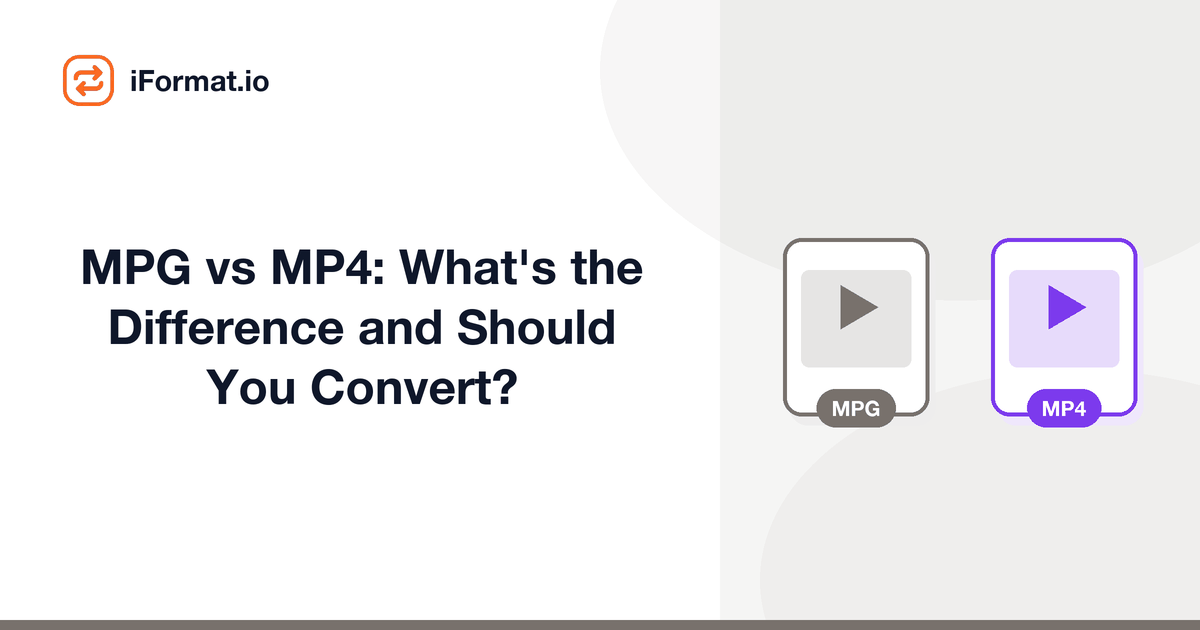
MPG vs MP4: What's the Difference and Should You Convert?
You found some .mpg files on an old hard drive, or someone sent you a video that ends in .mpeg, and your phone won't play it. Or you're wondering if that .mpg file from a DVD rip is basically the same thing as .mp4 with a different name. It's not: the similarity in names is genuinely misleading.
What MPG actually is
MPG (or MPEG) files use the MPEG-1 or MPEG-2 video codec, wrapped in an MPEG Program Stream container. MPEG-1 dates to 1993 and was the format behind Video CDs. MPEG-2 came in 1995 and is the format used by DVDs and broadcast television.
MPEG-2 was revolutionary for its time. It could compress standard-definition video (720x480 at 30fps NTSC) to about 5-8 Mbps with acceptable quality. Every DVD you've ever watched uses MPEG-2 video. Digital broadcast TV (ATSC in the US, DVB in Europe) also uses MPEG-2, though many broadcasters have since moved to H.264.
The .mpg extension can mean either MPEG-1 or MPEG-2, you can't tell from the extension alone. MPEG-1 files are typically 352x240 (quarter-VGA) and look noticeably dated. MPEG-2 files are usually 720x480 or 720x576 and look like DVD quality.
How MP4 differs from MPG
MP4 uses H.264 (MPEG-4 Part 10, also called AVC) or H.265 (HEVC) video codecs. These are several generations newer than MPEG-2 and dramatically more efficient at compression.
To illustrate the gap: a DVD-quality video (720x480) at acceptable quality takes about 5-8 Mbps in MPEG-2. The same video in H.264 looks identical at 1.5-2 Mbps. H.264 is roughly 3-4x more efficient than MPEG-2 at the same resolution and quality. H.265 is another 40-50% more efficient on top of that.
This efficiency gap is why MP4 files are so much smaller than MPG files for the same content. A 2 GB DVD rip in MPG can typically be converted to a 400-600 MB MP4 with no visible quality difference.
The naming is confusing on purpose
MPEG stands for Moving Picture Experts Group, the standards body. They created MPEG-1 (1993), MPEG-2 (1995), and MPEG-4 (1999). The .mpg extension usually means MPEG-1 or MPEG-2 video in an MPEG Program Stream container. The .mp4 extension means MPEG-4 Part 14 container, which holds MPEG-4 Part 10 (H.264) video. The numbers refer to different generations of standards, not versions of the same thing.
Should you convert MPG to MP4?
Almost always yes, for three reasons:
1. CompatibilityMP4 plays everywhere. MPG plays in VLC and desktop media players, but many phones, tablets, web browsers, and streaming devices don't handle it. Try sharing an MPG file on WhatsApp or uploading it to most web platforms and you'll hit format errors.
2. File sizeconverting MPEG-2 to H.264 typically reduces file size by 60-75% at equivalent quality. If you've got a library of old DVD rips in MPG, converting to MP4 can free up a lot of storage. A shelf of DVDs ripped to MPG might take 500 GB; the same content in H.264 MP4 at equivalent quality fits in 150 GB.
3. Editingmodern editing software handles MP4/H.264 much more efficiently than MPG/MPEG-2. Timeline scrubbing is faster, and preview rendering is smoother because H.264 decode is hardware-accelerated on virtually every modern GPU.
The one case where you shouldn't convert: if you're archiving original DVD content and want to preserve the exact source quality. Keep the original MPG alongside the MP4 conversion. The MPG is the unaltered source material.
How to convert MPG to MP4
The iFormat Video Converter handles MPG to MP4 directly. Upload the file, pick MP4 as the output, and download the result. The converter re-encodes the MPEG-2 video to H.264 and the MP2 audio (common in MPG files) to AAC.
For batch conversion of large MPG libraries, HandBrake is the better tool. Its queue system lets you add dozens of files and process them overnight. Use the "Fast 1080p30" preset (even for SD content, it handles lower resolutions fine) with a CRF of 20-22 for high quality results.
FFmpeg handles it with:ffmpeg -i input.mpg -c:v libx264 -crf 20 -c:a aac -b:a 192k output.mp4
The CRF 20 is slightly higher quality than the default 23, which is worthwhile for content that's already low resolution, you want to preserve as much detail as possible when the source is only 720x480.
For a folder full of MPG files:
for f in *.mpg; do ffmpeg -i "$f" -c:v libx264 -crf 20 -c:a aac -b:a 192k "${f%.mpg}.mp4"; done
On a modern CPU, converting a 1-hour SD MPG to H.264 takes about 5-10 minutes. It's not instant, but you can queue up a stack and walk away.
Common sources of MPG files
DVD ripsVOB files from DVDs are just MPEG-2 Program Streams with a different extension. Rename .vob to .mpg and they'll play the same way. Converting these to MP4 gives you single portable files instead of the DVD folder structure.
TV tuner capturesif you used a TV tuner card to record broadcast television in the 2000s, the recordings are likely MPEG-2 in .mpg or .ts (transport stream) files. Some TV tuner software (like Windows Media Center) saved recordings as .dvr-ms or .wtv files, which are also MPEG-2 internally, rename to .mpg or use FFmpeg to extract the streams.
Old digital camerassome late-'90s and early-2000s digital cameras had a video mode that recorded in MPEG-1 at tiny resolutions (320x240 or 160x120). These are archival curiosities at this point.
Security camerasolder CCTV and security systems often recorded in MPEG-2 or MPEG-4 Part 2 (not H.264). If you need to review old security footage, converting to MP4 lets you use modern analysis tools.
Video editing exports from the 2000sprojects exported from older versions of Premiere Pro (pre-CS5), Sony Vegas, and Windows Movie Maker often defaulted to MPEG-2 output. If you've got old project exports sitting on a backup drive, they're probably .mpg files.
Quality considerations when converting
MPEG-2 source material is usually standard definition (720x480 NTSC or 720x576 PAL). Converting to H.264 won't make it look like HD: the resolution stays the same. What you get is a smaller file that plays everywhere.
Don't upscale when converting. A 720x480 video scaled to 1920x1080 just adds empty pixels, it makes the file bigger without adding detail. AI upscaling tools like Topaz Video AI can genuinely improve perceived quality on old footage, but that's a separate post-processing step, not something to do during a format conversion.
If your MPG files are interlaced (common with DVD and broadcast content), make sure the converter deinterlaces them. Interlaced video looks terrible on modern progressive displays, you'll see horizontal lines through any motion.
Dealing with VOB files from DVDs
VOB (Video Object) files are what you get when you rip a DVD's VIDEO_TS folder. They're MPEG-2 Program Streams with an extra layer of DVD navigation data. Each VOB file is capped at roughly 1 GB, so a long movie is split across multiple VOBs (VTS_01_1.VOB, VTS_01_2.VOB, etc.).
You can rename .vob to .mpg and play them individually, but for a complete movie you'll want to join them first. HandBrake reads DVD folder structures directly, point it at the VIDEO_TS folder and it'll see the full title with chapters intact. Select the main title (usually the longest one), choose H.264, and export as a single MP4.
FFmpeg can concatenate and convert VOBs in one command:cat VTS_01_*.VOB | ffmpeg -i - -c:v libx264 -crf 20 -c:a aac -b:a 192k movie.mp4
This pipes all the VOB files together and converts the combined stream to MP4. It handles chapter boundaries automatically, though you lose DVD chapter markers in the process.
Frequently asked questions
Is MPG the same as MPEG?
Yes. The .mpg and .mpeg extensions are interchangeable. Some systems limited extensions to three characters, hence .mpg. Both refer to the same MPEG-1 or MPEG-2 content.
Can I just rename .mpg to .mp4?
No. They're completely different containers with different codecs. The file won't play if you rename it. You need to actually re-encode the video from MPEG-2 to H.264.
Is MPEG-2 still used anywhere?
Broadcast TV still uses it in some markets (ATSC 1.0 in the US). Blu-ray discs can use MPEG-2 (though most use H.264 or H.265). But for any new content, H.264 or H.265 has fully replaced it.
What about MPEG-4? Is that the same as MP4?
MPEG-4 is a broad standard with many parts. MPEG-4 Part 2 (DivX/Xvid era) is an older codec. MPEG-4 Part 10 is H.264/AVC, the modern codec. MPEG-4 Part 14 is the MP4 container format. When people say "MP4," they mean H.264 video in an MP4 container.
Should I keep my original MPG files after converting?
If storage isn't an issue, yes. The MPG is the unaltered source. But practically, a high-quality H.264 conversion of SD content is visually identical to the MPEG-2 source, so deleting the originals after verifying the conversions is reasonable.
If your MPG files came from a camcorder rather than a DVD, check our camcorder format guidethe format landscape for camcorders is broader than just MPG and MP4. And if your converted MP4s are still too large for sharing, run them through the Video Compressor to shrink them further.